In this article 11 sections
A content delivery network, or CDN, is a distributed service that can deliver website resources through locations away from the original server. It often caches public files and serves them without fetching the same content repeatedly from the origin. Some providers add routing, image processing and security services.
For a UK business with international readers, that can be useful. It does not mean every request comes from the geographically closest server, every page is cached or the origin can never fail. Network routing, cache state and the selected product determine what actually happens.
The components and delivery models
The origin is the underlying source for the website or assets. An edge location handles visitor requests, with a cache holding eligible responses. Routing and load-balancing systems choose how traffic reaches those locations and the origin. Logs and analytics help operators understand the result.
A pull arrangement retrieves eligible content when needed; a push arrangement involves uploading content into a delivery service in advance. Video services may specialise in streaming formats and segment delivery. Peer-assisted distribution is another specialised approach, rather than a feature every ordinary website CDN provides.
Security-focused features such as a web application firewall or DDoS mitigation may be bundled or sold separately. Review the exact product, configuration and limits. Cloudflare's CDN introduction provides a general explanation, while its operational documentation describes its own implementation.
What happens during a request?
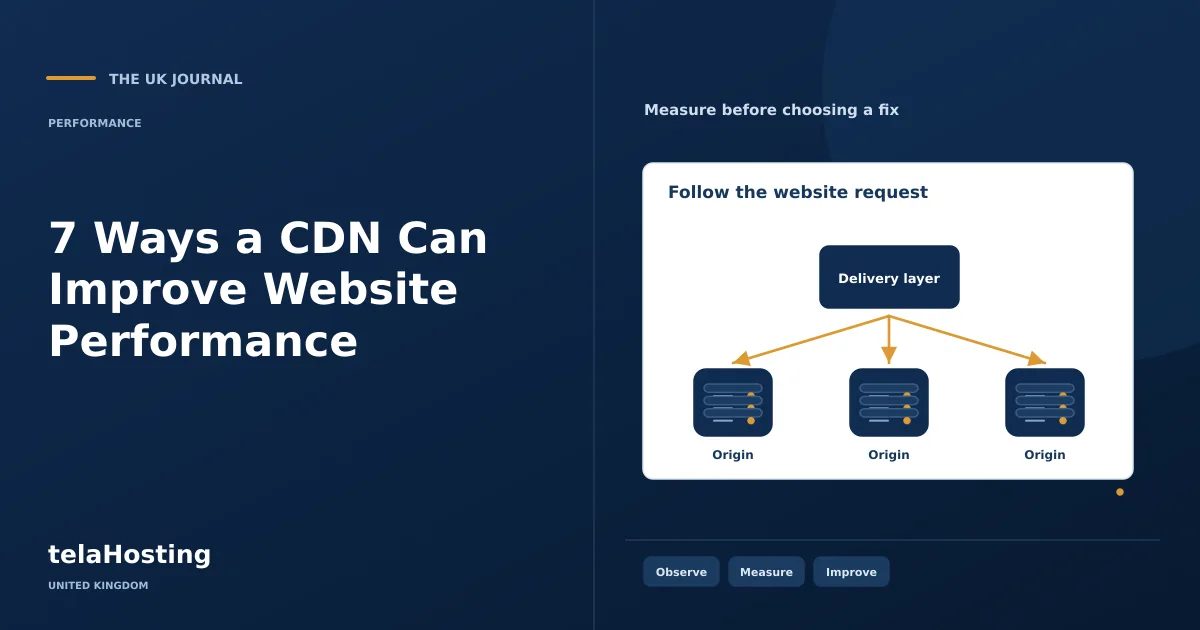
- A visitor requests a resource using a hostname routed through the CDN.
- The service checks its routing and cache rules.
- If a valid cached response is available, it can return that response.
- If not, it contacts the origin or follows another configured route.
- It may store an eligible response for subsequent requests.
- The browser still has to download, process and render the delivered content.
A cache hit and a cache miss can therefore have different timings. Private responses and interactive transactions need separate treatment. Understand this flow before assessing the seven roles below.
1. Reduce some delivery latency
Serving a resource from a well-connected edge can reduce network travel and connection overhead compared with always contacting a distant origin. The benefit depends on the visitor, network path and cache availability. A London visitor and an overseas visitor may see different results.
Measure from relevant regions and distinguish cached delivery from an origin fetch. Do not infer performance from a map of server locations alone. A nearby location with the wrong route or an uncached resource may not behave as expected.
2. Deliver cacheable resources more efficiently
Images, stylesheets, scripts and other public resources are common caching candidates. Reusing them can reduce origin traffic and support faster delivery. Some products also transform images or compress responses, but those features need their own configuration and quality checks.
A CDN cannot make unnecessary bytes free. An oversized photograph remains a large download unless it is resized or transformed. Optimise the underlying page as well as the delivery layer, and verify which responsive image the browser actually receives.
3. Absorb part of a traffic increase
During a promotion or popular article, many visitors may request the same public resources. Cache hits can keep those requests away from the origin. That can preserve origin capacity for work that cannot be served from a public cache.
A shop's basket, stock checks and payments may still depend on the application and database. A CDN is therefore not a guarantee that an unlimited sale can run on an undersized server. Test the relevant transaction workload and review provider costs and limits before a major campaign.
4. Add resilience to parts of the service
Distributed locations and routing can reduce dependence on an individual delivery point. Some configurations can serve eligible stale content during an origin problem or use multiple origins. Those are specific behaviours to configure and test, not a promise that the complete website remains functional after any failure.
A cached article may remain readable while login or checkout fails. Monitor those functions separately and define an incident plan. A CDN provider can also have its own outage, so retain access to configuration and understand your options before an emergency.
5. Provide additional security controls
Depending on the product, a CDN can offer traffic filtering, rate limits, DDoS mitigation or a web application firewall. These can reduce some malicious traffic reaching the origin. They do not repair every vulnerable plugin, compromised account or exposed database.
Configure TLS for both the browser-to-edge and edge-to-origin connections appropriately. Protect origin access where suitable and review firewall changes against legitimate forms, APIs and payment callbacks. A rule that blocks real customers is an operational problem even if it reduces the request count.
6. Support a better mobile experience
Efficient delivery and suitable image variants can help on mobile networks, particularly when repeatable connection costs and large resources are involved. Some image services adapt formats or dimensions, but the page still needs accurate markup, a responsive layout and manageable JavaScript.
A CDN does not fix an inaccessible menu, a button covered by a widget or slow client-side filtering on an older phone. Test the whole task on a real device and use throttled lab conditions to investigate the specific obstacle.
7. Serve a geographically spread audience
A distributed delivery service can help a publication, shop or software business reach visitors across regions without asking one origin to send every public byte over the same route. Review actual audience locations and traffic before choosing a service solely for its global footprint.
Keep data handling separate from network efficiency. Caching content in different countries does not automatically remove international-transfer obligations or keep all personal information in the UK. Review the provider, contract, logging and relevant locations using the ICO's international-transfer guidance where personal information is involved.
Configure cache rules and updates safely
Start with known public assets. Review response headers, cookies, query parameters and any content varying by account, language or currency. A cache key that ignores a meaningful difference can serve the wrong result. Publicly caching personalised content can create a much more serious failure than a slow page.
Use versioned asset URLs or a documented purge process for changes. Check the provider's rules for origin cache headers; Cloudflare's origin cache-control documentation is one implementation-specific example. Do not assume settings have the same meaning across vendors.
Test logged-in and logged-out views, new prices, baskets, forms and authentication callbacks. Inspect cache status and actual content from more than one location. Keep a rollback route and record the original DNS and configuration before enabling the service.
Check cache keys against the website's real currency and language controls. If a public page varies by a cookie or request header, confirm that the CDN either distinguishes those variants safely or bypasses that response. Test at least two intended variants in separate browser sessions, then purge the appropriate objects when the underlying content changes. A correct cache policy is part of the application design, not merely a speed setting.
Decide from measured need
A CDN is useful when it addresses an evidenced delivery, traffic or protection requirement. A small local site may benefit from simpler image and page improvements first. Compare cost, account ownership, purge behaviour and support as well as a map of locations.
Choose suitable origin hosting for the application itself, then measure the combined system. Publish only performance results you can reproduce with clear conditions. That gives the business a supportable architecture and customers an experience grounded in actual operation.
Follow the subject
Your perspective
Join the discussion
Ask a question, share what worked, or add a useful detail.
Loading discussion…
Comment moderation
Only approved contributions appear in the discussion.