

In this article 16 sections
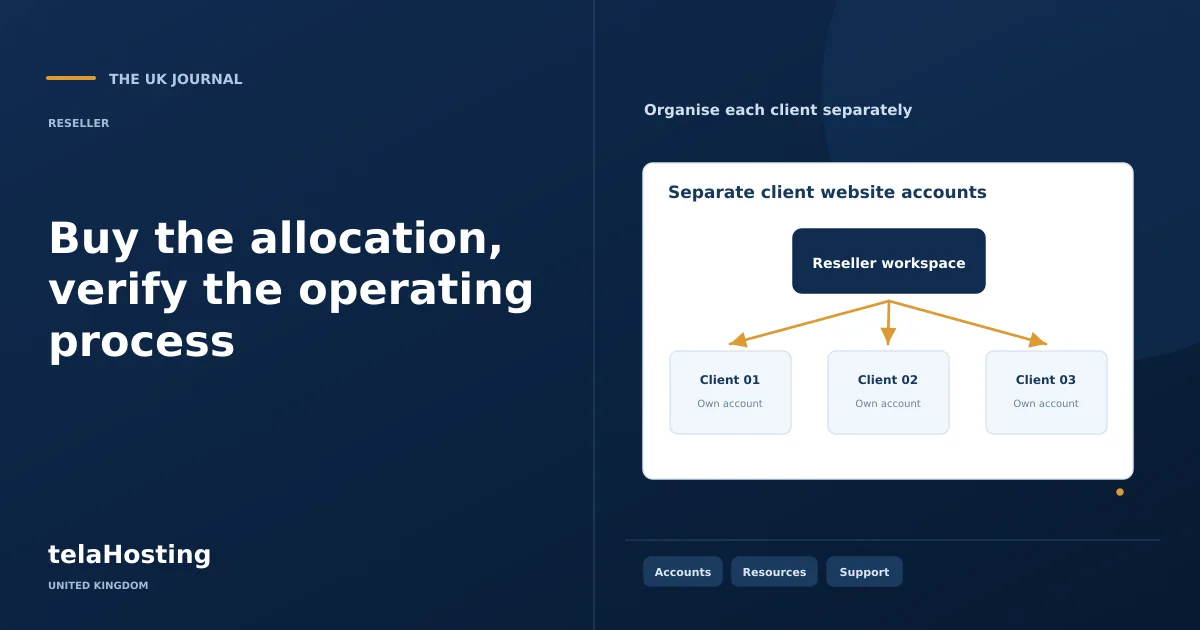
Buying a reseller plan is the purchase of a technical allocation and an operating relationship with an upstream provider. Prepare the workloads and service you intend to sell before selecting a package. A plan name or an unlimited feature label does not tell you everything needed to support clients.
This ten-step guide focuses on the purchase and immediate onboarding. It uses real UK catalogue inputs reviewed on 30 October 2026, while keeping payment methods, access details and activation procedures specific to the provider’s actual instructions.
1. Research providers using concrete questions
Identify the application types you need to host and ask for supported runtimes, account limits, recovery arrangements and escalation routes. Keep written answers to requirements that materially affect the service.
Use public documentation and your own controlled trial or pilot where available. Do not convert an advertised feature into a speed test, local data-centre claim or measured support result that you have not established.
2. Compare allocations on a common basis
Count separate client accounts as well as websites. Compare storage, email, database requirements and applicable operating limits. Check which WHM functions your reseller role receives.
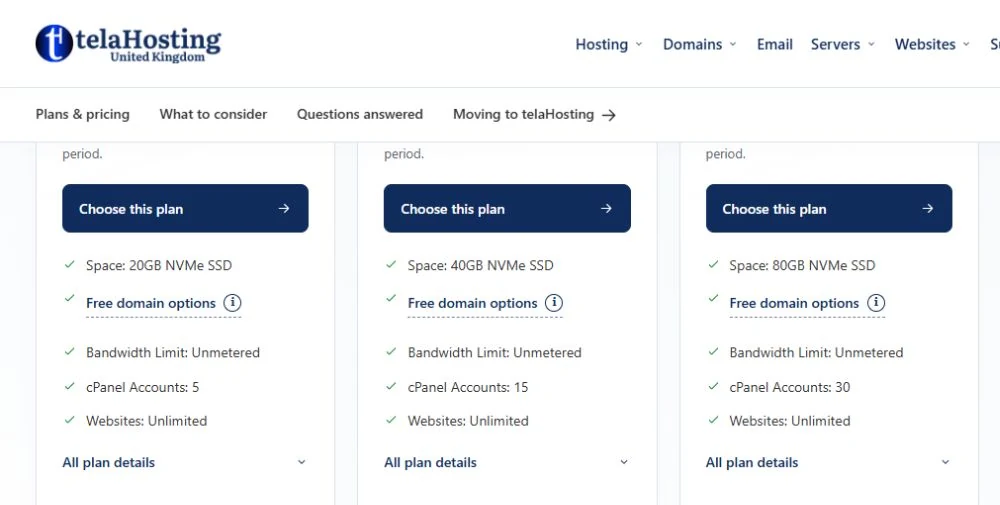
The captured telaHosting Starter Reseller plan lists five cPanel accounts, 20GB NVMe and weekly backups. A larger package from another provider may include more accounts or a different backup schedule; keep those differences beside the charge comparison.
3. Select a suitable budget and term
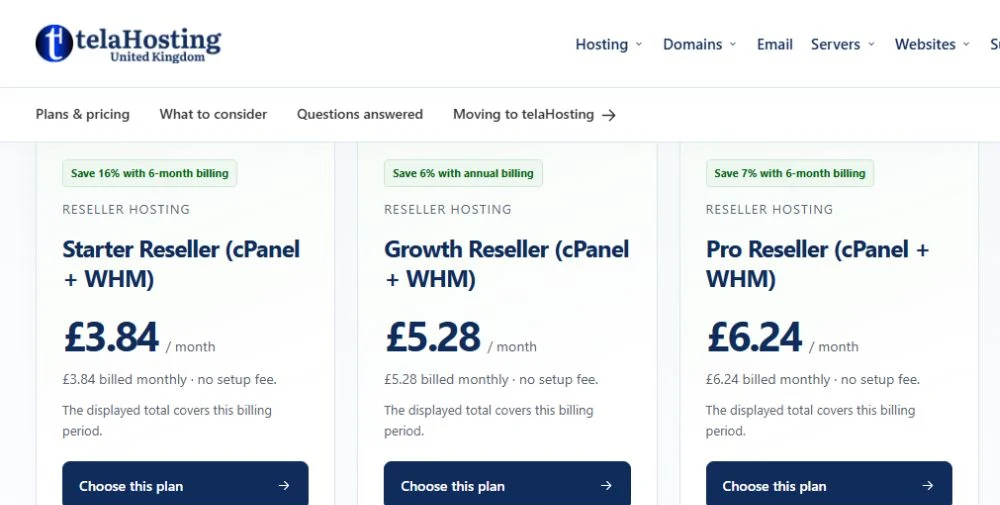
Starter Reseller lists £3.84 monthly or £38.40 annually in the reviewed UK catalogue. The annual amount is equivalent to £3.20/month when divided by twelve, but it is an annual payment.
Include setup work, billing software and support time in the launch budget. Choose a term you can fund and a resource allocation matched to the initial clients, rather than purchasing for an assumed future customer count.
4. Create the right customer account
Use accurate business and contact information through the provider’s official account route. Protect the account and configure available authentication and recovery methods.
Use an address and recovery arrangement the business can retain. A private contractor mailbox should not become the only way to manage the upstream service when the original project ends.
5. Confirm the selected purchase
Review the exact plan, billing cycle and any deliberately selected additions. Keep the order confirmation and service reference with the business records. Use only the payment methods presented by the provider.
Account activation and verification follow the supplier’s process. Do not assume a particular immediate-delivery time or invent an alternative payment route if the order needs attention. Use the official support channel with the reference.
6. Inspect WHM and create a test package
Use the supplied secure access route, then review available functions and quota limits. A reseller normally sees a subset of WHM according to privileges granted by the upstream operator.
If enabled, use Add a Package to define a small test allocation. Keep the feature list and resource limits consistent with the service you intend to offer. Do not create a live client account before understanding which package it receives.
7. Prepare the service website
Publish package scope, business identity, support contact and the order or enquiry route. Ensure a prospect can understand what is included and what continues after launch.
Keep domain registration, hosting and maintenance responsibilities clear. If the business uses a separate domain registrar or email provider, document those dependencies rather than assuming the reseller order moved every service.
8. Add billing and automation deliberately
Verify whether a billing licence is included or purchased separately. WHM account management is not automatically a complete invoicing and payment system. Choose the tools needed for the actual workflow.
Test payment notifications, account provisioning and renewal reminders in a controlled way. Include duplicate or failed events and a manual intervention route. Restrict the credentials used by the integration.
9. Test a representative hosted account
Create an account within the allowed allocation and deploy a suitable test site. Verify DNS, HTTPS, files, database connections, scheduled work and email where included.
Check quotas and feature access from the client’s perspective. Test recovery through the available backup process. Record anything that needs provider help so support boundaries are understood before a paying client depends on them.
10. Begin selling within the tested scope
Use the verified package information in proposals and accepted orders. Record the customer, technical account, service period and authorised contacts together.
Migrate clients gradually, preserving mail and application data. Test important website functions after each move and retain the old service during the planned transition. Expand once the operating process and resource use support it.
Why the small starting allocation can be useful
A five-account allocation can keep the entry hosting commitment modest for an initial portfolio. It is not a substitute for a larger plan when separate accounts or resources are already required.
The documented telaHosting monthly option provides flexibility to begin with a small listed charge. The annual option has a different payment commitment. Choose according to the real workload and business plan, with the other operating costs included.
Avoid the purchase mistakes that cause later work
Common problems include assuming unrestricted server access, overlooking the account allowance and discovering after launch that an application needs unsupported services. A rushed purchase can also leave the business without reliable account recovery.
Keep the order, documentation, support answers and test results together. Check renewal contacts and the next capacity step. These records turn a purchased allocation into something the team can operate and hand over.
Read product-specific domain eligibility
A free-domain label needs an extension and qualifying period that suit the project. The captured Starter Reseller offer lists one-time eligibility on annual billing for specified extensions. It does not establish that every suffix, including a preferred UK address, is included.
Choose the business’s domain for its identity and audience, then compare the published eligibility. A separately registered name can still point to the new service. Keep the correct registrant and renewal responsibility clear whether or not a domain benefit is used.
Plan the first client handover
Prepare a concise record for the client: website and support addresses, agreed service period, included tasks, renewal responsibility and the approved route for changes. Identify which access the client receives and what information is supplied if they leave.
Keep that record distinct from privileged provider credentials. The client needs usable service information, while upstream account access should remain restricted to authorised administrators. A clear handover reduces repeated questions and helps another colleague understand the arrangement later.
Complete the onboarding record
Record the provider, plan, billing cycle, authorised administrators, support route, active DNS and backup arrangement. Add the test account’s results and any important supplier-specific limits. Save the invoice reference and confirmation of the next renewal date, and assign someone to keep payment and recovery details current as the service grows.
Use telaHosting’s current reseller page to select the actual service, then follow the onboarding instructions supplied for that account. The purchase is complete when both the allocation and its operating process are understood.
Published plans · 30 October 2026
80.80% lower listed monthly entry bill for a five-account reseller start
An agency beginning with up to five separate cPanel accounts, rather than needing a 25-account allocation immediately.
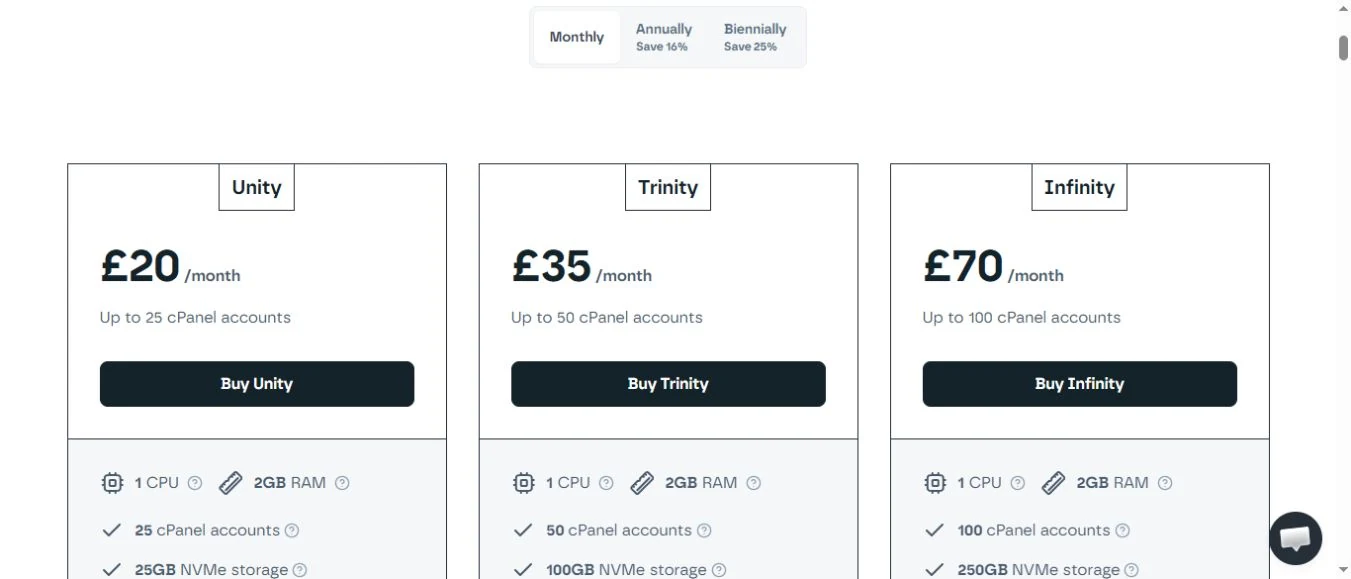
For an agency starting with up to five cPanel accounts, telaHosting Starter Reseller lists £3.84/month versus Krystal Unity’s £20/month entry plan. That is £16.16 less per listed month, or an 80.80% lower entry bill.
- Krystal includes 25 accounts versus five, 25GB versus 20GB, and daily offsite versus weekly listed backups.
- Do not describe an 80.80% reduction in cost per fully used account; this comparison is the plan entry bill.
- Krystal’s captured Include VAT control is unchecked and telaHosting’s VAT basis is unstated; final invoices are not equated.
Follow the subject
Your perspective
Join the discussion
Ask a question, share what worked, or add a useful detail.
Loading discussion…
Comment moderation
Only approved contributions appear in the discussion.


