In this article 9 sections
The right payment gateway lets your customers pay in a suitable way and gives your business a dependable record of what happened. It must also fit your platform, merchant eligibility and operating budget. Comparing a headline percentage without checking the payment category can lead to an expensive misunderstanding.
For a UK website, start with the merchant’s country and business model, not only the customer’s location. Some processors restrict particular products or require additional review. A provider that accepts a buyer’s card in one context may not support your intended business or settlement arrangement.
What a payment gateway actually does
A gateway securely passes payment information and status between a checkout and the relevant payment infrastructure. Modern providers often bundle this with processing, merchant services, hosted checkout, fraud tools and reporting. The product sold as a gateway may therefore cover more than the original technical function.
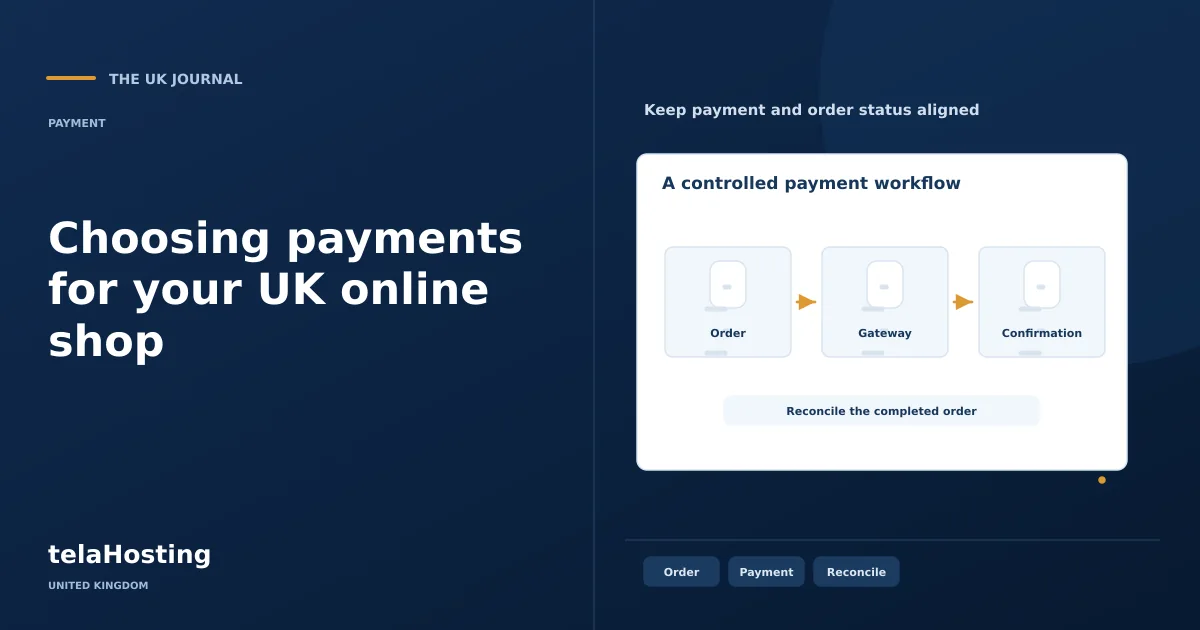
A typical card journey involves the customer submitting payment details, any required authentication, an authorisation decision and capture of the funds. Settlement and payout to the merchant happen according to the provider’s process. These are related stages, but an authorisation is not the same thing as money arriving in your bank account.
Your shop should maintain a reliable order state for each stage. Use the provider’s authenticated server notifications and unique payment references. Customers may close a browser before returning to the shop even though payment succeeded, so the return page alone is not a safe basis for fulfilling an order.
1. Check security and authentication support
Use a maintained integration and follow the provider’s recommended handling of card data. Hosted checkout or payment components can reduce the amount of sensitive information passing through your own application, although your responsibilities depend on the actual implementation. Do not store card details in website notes, logs, email or support tickets.
Review support for Strong Customer Authentication and 3-D Secure where relevant. The bank can require an additional customer action, so the checkout must handle challenge, success, cancellation and failure states. Treat a fraud tool as one control alongside sensible fulfilment checks, access controls and staff procedures.
2. Compare the right fees, not just percentages
Processor pricing can include a percentage, a fixed amount, international-card supplements, currency conversion, refunds, disputes and extra product charges. A lower percentage can be outweighed by a higher fixed fee on small baskets. Your own payment mix matters more than an example chosen to make one supplier look universally cheapest.
As reviewed on 30 October 2026, Stripe’s published standard UK card tier lists 1.5% plus 20p. Its premium UK card tier lists 2.8% plus 20p. PayPal’s UK table lists 2.9% plus a 30p GBP fixed fee for its all-other-commercial domestic transaction category. PayPal also has a separately named card-funded category at 1.2% plus the fixed fee; that is not a universal PayPal checkout rate.
| Illustrative £20 domestic payment | Calculation | Fee |
|---|---|---|
| Stripe standard UK card tier | £20 × 1.5% + £0.20 | £0.50 |
| PayPal all-other-commercial domestic tier | £20 × 2.9% + £0.30 | £0.88 |
This calculation compares those named categories only, with no conversion, refund, dispute or additional product charge. It is arithmetic, not a declaration that one gateway is cheapest for every merchant. Model several typical basket values and your likely proportions of domestic, premium, overseas and alternative-method payments.
3. Confirm integration and maintenance requirements
Check that the provider supports your exact platform and current version. Prefer an official or approved maintained extension with clear documentation. Establish who updates it, which additional plugins it depends on and whether a separate extension subscription is required. A connector that is free to install can still create ongoing operating work.
Review webhooks, signing secrets, test credentials and order mapping. If a notification is delivered twice, the integration should recognise the existing payment rather than issue a second fulfilment request. Test retries and delayed events. Keep secrets out of public repositories, screenshots and client-side code.
4. Choose methods your customers can use
Cards, digital wallets, bank payments and other methods have different eligibility, confirmation times and operational behaviour. A wallet can reduce typing on a compatible device, but it should not hide the available alternative. For subscriptions, confirm recurring-payment support rather than assuming a one-off checkout can be reused unchanged.
Consider accessibility and cross-border customers. Explain the payment currency clearly and avoid forcing a browser redirect that loses the basket. For methods with delayed confirmation, show an honest pending state and hold fulfilment until the correct event arrives. Instant-looking interface feedback does not make a delayed method immediately settled.
5. Test the checkout experience on real devices
Buy a representative basket in test mode on a phone and a desktop. Check address entry, field labels, error recovery, bank authentication, browser back navigation and order confirmation. The payment action must remain visible when the on-screen keyboard opens or a challenge appears in an embedded frame.
Do not ask for unnecessary information merely because a plugin offers another field. Preserve valid input after an error and describe what the customer needs to correct. Keep payment logos proportionate and genuine; adding a collection of unrelated trust badges does not establish security.
6. Assess support, payouts and reconciliation
Ask how your team can obtain help with a missing payout, a failed notification or an account review. Establish the relevant contact channel and the information required to investigate. Do not invent a settlement time from another market’s documentation: verify the timetable, reserves and eligibility for your account and method.
Ensure the reporting can connect a website order to its payment, fees, refund and payout. Your accountant should be able to reconcile the bank receipt with the underlying transactions. Give staff individual access and suitable roles so issuing a refund does not require sharing the owner’s main login.
Examples worth investigating for a UK store
Stripe offers hosted and embedded payment approaches with extensive developer documentation. PayPal offers PayPal-branded checkout and other payment products with distinct pricing categories. Square can be relevant to a business combining online and in-person sales. These examples are starting points for a requirements review, not an exhaustive or ordered ranking.
Read each provider’s current UK product documentation for supported industries, settlement options and platform integrations. A processor used by a Nigerian business should not be assumed suitable for a UK merchant under the same terms. Equally, the hosting package does not change the processor’s published fee category.
Prepare for common payment problems
Declined or failed transactions: give a useful customer message without disclosing sensitive risk logic, and avoid repeatedly retrying a payment blindly. Let the customer use an appropriate alternative while staff examine the payment reference and order notes.
Refunds and disputes: document who can approve a refund, how it is linked to the original payment and what evidence is retained. A cancellation, a refund and stock being returned to sale are separate actions. Do not restock a physical return until its condition is checked.
Integration or notification errors: examine signed event delivery, endpoint availability and application logs using test data first. Maintain idempotent handling and reconcile unresolved payments before resending fulfilment instructions.
Fraud and delayed payouts: use proportionate order checks, maintain evidence and follow the processor’s account-review process. Keep a cash-flow buffer based on your actual business. Choose the gateway whose full process you can operate, then test that process before the first live sale.
Follow the subject
Your perspective
Join the discussion
Ask a question, share what worked, or add a useful detail.
Loading discussion…
Comment moderation
Only approved contributions appear in the discussion.