In this article 9 sections
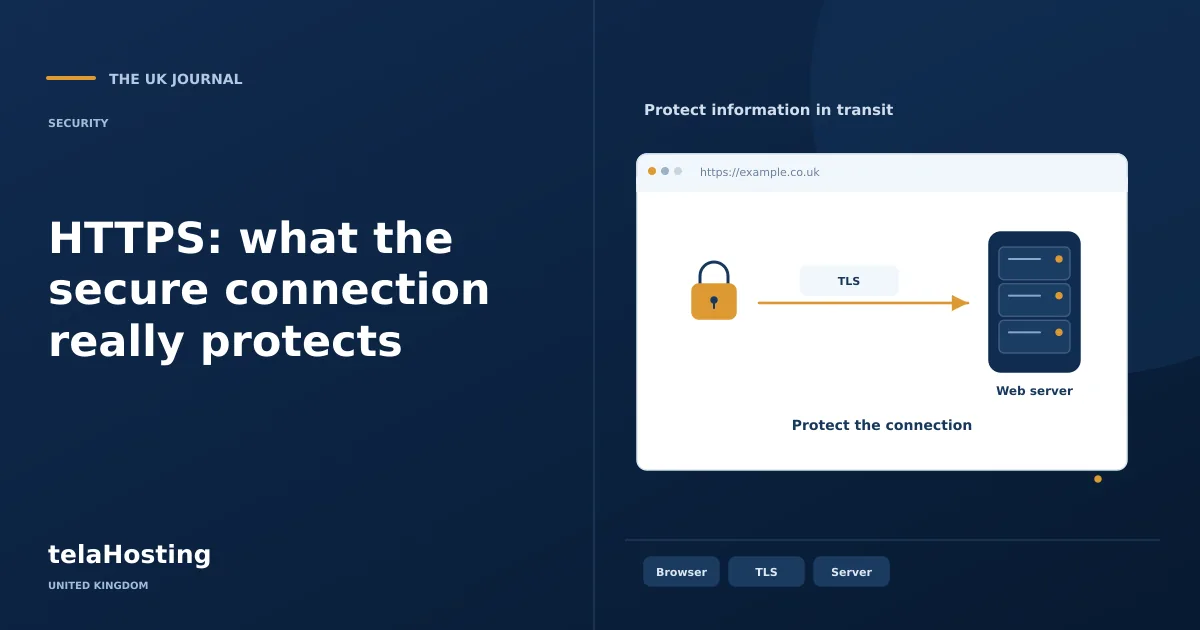
Visitors expect to use a secure connection when reading a website, signing in or placing an order. HTTPS is the usual way to provide that connection. It combines HTTP, the protocol used to request web pages and other resources, with TLS, which protects the traffic between the browser and the endpoint presenting the certificate.
You may still hear people call a certificate an “SSL certificate”. That name remains common in hosting interfaces, although modern secure connections use TLS rather than the old SSL protocols. Understanding the distinction helps you ask the right questions about configuration, renewal and the actual protection available to customers.
What HTTPS protects
TLS helps prevent someone on the connection path from reading or silently changing the traffic exchanged with the authenticated endpoint. That matters for passwords, enquiry forms and customer account information, and also for ordinary browsing. A network observer should not be able to replace a legitimate script with a different one simply because the visitor is using public Wi-Fi.
The protection has a boundary. HTTPS does not prevent the website operator from reading information submitted to the application. It does not repair vulnerable code, remove malware, authenticate a business’s commercial promises or protect data after it has been copied into an insecure spreadsheet. A fraudulent website can obtain a valid certificate for its own domain. Visitors still need to check that they are using the intended address.
How a certificate fits into the connection
A certificate links a public key to the hostnames it covers. During connection setup, the browser checks factors including the requested hostname, the certificate’s validity and the chain to a trusted issuer. The server must possess the corresponding private key to complete the relevant authentication process. That private key needs careful protection; it should not be pasted into support chats or stored in a public repository.
Certificate scope matters. A certificate for one hostname does not necessarily cover another. Check the exact names customers use, such as the bare domain, its www version and a separate shop subdomain. Wildcard certificates have their own scope and validation requirements. Choose the coverage you actually need instead of assuming that one certificate secures every possible address.
Choosing certificate management
For many small websites, certificate issuance and renewal are handled through the hosting platform. Check whether that is automatic, which names it includes and how failures are reported. Let’s Encrypt, for example, issues certificates through the ACME protocol; an ACME client or a provider’s integration performs the operational work.
If you manage your own server, follow the certificate issuer’s and operating-system tooling instructions. Test automation, keep the software supported and make renewal alerts reach someone who can act. Do not wait for a browser warning to discover that a scheduled renewal has failed. Certificate expiry can interrupt an otherwise healthy shop or application.
A controlled migration from HTTP
- Inventory the live addresses. List the primary hostname, aliases, subdomains and external services used by the site.
- Take a restorable backup. Include configuration and database content before changing URLs or redirects.
- Install and test the certificate. Confirm coverage and the complete chain before forcing all visitors onto HTTPS.
- Update application settings. Set the intended public URL and review generated links, canonical tags and sitemap addresses.
- Repair HTTP asset references. Check images, scripts, fonts, stylesheets, embeds and form destinations.
- Add direct redirects. Send the supported HTTP variants to the intended HTTPS address without creating loops or unnecessary chains.
- Test important journeys. Verify authentication, carts, payments, callbacks, downloads and email links.
- Monitor renewal and errors. Keep responsibility for future certificates explicit.
For WordPress, changing the site URL is not always the only step. Content or settings may contain absolute HTTP references. Use a supported migration method and avoid blindly replacing text inside serialised database values. Test the result on staging when possible, and retain a rollback route until the complete live journey has been verified.
Mixed content and reverse proxies
Mixed content occurs when a secure page requests some resources through an insecure connection. Browsers may block the request or limit the protection the visitor expects. A missing image can therefore be a security-reference problem rather than a missing file. Inspect the browser console and network requests, then correct the original URL rather than hiding the warning.
Where a CDN or reverse proxy terminates the visitor connection, there is another connection from that service to the origin. Configure the appropriate certificate validation and encryption on that path too. An HTTPS address in the browser does not, by itself, prove that every internal connection is protected. Redirect logic must also understand the proxy arrangement, or it can repeatedly send a request around a loop.
HTTPS and an online shop
Protect the entire shopping journey, not just the final payment page. Customers may enter personal details, sign in or receive account information before checkout. Session cookies and application authentication settings should align with the secure connection. A payment gateway may also require correctly configured callback and webhook URLs so that completed payments reach the order system.
Using a hosted payment form can reduce the card data your own application handles, but HTTPS alone does not determine your payment-security responsibilities. Confirm the integration with the payment provider and avoid storing raw card details in ordinary forms or logs. Test a successful payment, an authentication challenge, a failure and a refund through the provider’s supported testing process before changing a live checkout.
Search visibility, trust and performance
Secure transport is a sensible foundation for a website. It does not guarantee a search position or compensate for weak content and broken navigation. When changing URLs, maintain sensible redirects, consistent canonical references and a current sitemap so search engines can understand the preferred versions. Check for unexpected indexing changes after a migration.
HTTPS also does not automatically make every page faster. Modern protocols and connection behaviour can support efficient delivery when the server and browser negotiate them, but performance still depends on the application, resources and network. Measure representative pages before and after changes instead of assigning an invented percentage speed improvement to the certificate.
HSTS and long-term operation
HTTP Strict Transport Security tells supporting browsers to use HTTPS for a defined period. It is useful when the secure deployment is ready, but it deserves a deliberate rollout. Check affected subdomains and recovery arrangements before choosing broad settings or submitting a domain for preloading. A configuration that outlives a certificate or excludes a necessary subdomain can make recovery more difficult.
Keep a simple operational record: certificate owner, covered names, renewal method, alert destination and last successful test. Combine it with software maintenance, access review and backup checks. For a UK business, encryption is one part of an appropriate approach to protecting personal information; a certificate is not a blanket statement that every legal or security obligation has been met. The practical goal is a secure connection that stays secure and continues supporting the services visitors need.
Check a certificate renewal before it becomes urgent
Record who receives expiry alerts and ensure that address is monitored independently of a single staff member. If renewal uses a domain or HTTP validation challenge, preserve the required DNS or web-server access when changing a CDN, firewall or redirect. Use the certificate client’s supported renewal test where available. After a certificate is replaced, check the public hostname and any intermediate proxy separately. A successful renewal at one layer does not establish that every visitor-facing endpoint is serving the intended certificate.
Follow the subject
Your perspective
Join the discussion
Ask a question, share what worked, or add a useful detail.
Loading discussion…
Comment moderation
Only approved contributions appear in the discussion.