

In this article 9 sections
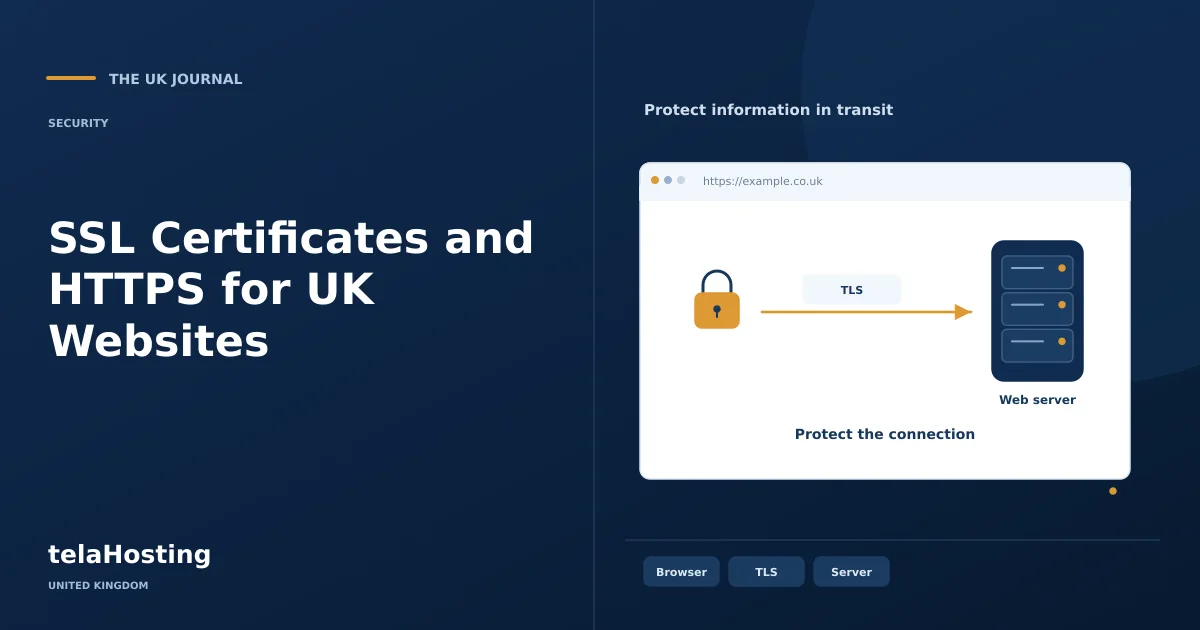
A website using HTTPS carries its HTTP communication over a TLS-protected connection. Certificates help the browser authenticate the endpoint for the requested name. The phrase SSL certificate remains common in hosting marketing, although modern secure web connections use TLS rather than the obsolete SSL protocols.
This protection matters for ordinary pages as well as logins and forms. It helps prevent someone on the network reading or silently altering traffic between the browser and the endpoint. It is one layer of website security, with a specific job and clear limits.
What happens during a secure connection
The browser and server negotiate the connection and the browser checks the certificate and its trust chain for the hostname. The process establishes cryptographic keys used to protect the exchange. The certificate is part of that process, rather than a file that independently encrypts every piece of stored website data.
The result supports confidentiality and integrity in transit and authentication of the endpoint under the certificate system. It does not prove that the business is honest, that a downloaded file is safe or that the application has no vulnerabilities.
A phishing site can also use HTTPS for its own address. Teach staff and customers to check the actual destination and context, not merely look for a reassuring icon. Browser indicators change, so avoid instructions that depend on every browser showing the same historical padlock design.
Four practical reasons HTTPS matters
1. Protecting transmitted information
Login details, form content and other responses need protection while travelling across networks. HTTPS helps with that part of the journey. Protection at the receiving endpoint, access permissions and stored data remain separate responsibilities.
2. Supporting dependable browser interaction
A correctly configured secure site avoids certificate errors caused by missing coverage, expiry or an untrusted chain. Those errors should be investigated rather than dismissed. Some modern browser capabilities also depend on secure contexts.
3. Providing a sound customer experience
Visitors should not need to bypass a warning to read or use a legitimate business service. Maintain the certificate and links so the secure route works consistently. This is an operational standard, not evidence that a certificate automatically increases sales.
4. Maintaining a clear search and URL configuration
Use consistent intended URLs and appropriate redirects when adopting HTTPS. Update internal links and relevant site settings. HTTPS alone does not guarantee rankings, and installing a certificate does not correct thin content, broken navigation or unrelated technical problems.
Three validation types
Domain validation: DV
DV establishes control over the relevant domain through the certificate authority’s validation process. Automated services such as Let’s Encrypt use challenges that can involve DNS or an HTTP resource. Control validation is not the same as verifying a company’s commercial reputation.
A DV certificate can provide a properly protected TLS connection. Do not describe it as weak encryption merely because it involves less organisation identity checking than another certificate category.
Organisation validation: OV
OV certificates include verified organisation information under the applicable requirements. This adds identity verification beyond domain control. Whether that information is useful to the project depends on its requirements and how users or systems inspect it.
It does not mean the application is malware-free or that the organisation cannot behave dishonestly. Compare the actual certificate purpose rather than treating validation labels as a complete website safety ranking.
Extended validation: EV
EV follows additional identity-proofing requirements for the organisation and authorised request. The CA/Browser Forum publishes guidelines governing that process. A project may require it for a specific identity policy, but it is not universally necessary for every small business website.
Do not promise a particular coloured address bar or a guaranteed conversion improvement. Browser presentation varies, and a certificate’s validation category is separate from application security and the strength of the negotiated connection.
Match certificate coverage to the names
List the hostnames visitors and administrators will use, including the chosen main domain and any www alternative. Additional names need appropriate coverage. A wildcard such as *.example.com does not automatically cover the bare example.com name or deeper names such as a.b.example.com.
Separate domain validation from domain registration. Registering a name does not automatically install a certificate on the correct server. A CDN or reverse proxy can also create more than one connection leg, so understand where TLS terminates and how the origin connection is protected.
Install through a supported process
First confirm which certificate facilities the hosting service supplies. A panel, managed platform or ACME client may handle issuance and renewal. Use the current supported method rather than copying private keys into unrelated tools or following an obsolete interface guide.
Complete the required validation, ensuring DNS or HTTP challenges reach the correct destination. Install the certificate with the appropriate key and chain through the intended service. Protect private keys and restrict access to the people and systems that require them.
Test the secure hostname before forcing every visitor through it. Check important pages, forms, administration and external integrations. When correct, configure the intended redirects and update application settings and internal references consistently.
Fix mixed content and redirect problems
A secure page can still reference insecure images, scripts or other resources. Browser behaviour depends on the resource and policy, so inspect actual warnings and network requests. Correct the source references rather than assuming a broad text replacement is safe across every field.
Avoid redirect loops and unnecessary chains. Test the main address, www alternative and any relevant subdomains. A homepage appearing correct in one browser session is not enough to confirm the full configuration.
Keep renewal and monitoring operational
Automated renewal reduces manual work but still needs monitoring. Validation can fail after DNS, routing or firewall changes. Ensure someone receives failure notifications and that account credentials or DNS API access are protected appropriately.
Do not assume every certificate has a one-year validity period. Certificate lifetimes and product arrangements vary and can change. Monitor the certificate actually served by each relevant endpoint rather than only recording a purchasing anniversary.
Have a documented response to expiry or key compromise. Where revocation or reissue is needed, coordinate the correct process with the provider or certificate authority. Replacing a certificate should not leave an old exposed key treated as trustworthy indefinitely.
Recheck HTTPS during a migration
When moving a site, confirm which system will issue and serve the certificate after the change. The old host’s automatic renewal may not protect the new endpoint. Prepare validation and coverage through the supported migration process, then test the destination before redirecting normal traffic. Review any proxy or CDN configuration too: a secure browser connection can terminate there while the origin uses a separate connection. Document both legs and keep the intended hostname working through the transition rather than treating the certificate as an unrelated purchasing task.
What HTTPS does not replace
Continue maintaining the CMS, extensions, authentication and backups. HTTPS does not prevent an authorised administrator’s account being misused, remove injected malware or secure data after the endpoint exposes it. Those issues require different controls.
When comparing hosting services, confirm certificate coverage, renewal handling and support scope for the actual plan. A well-maintained HTTPS configuration is a necessary part of a professional website operation, with claims kept within what the technology actually protects.
Follow the subject
Your perspective
Join the discussion
Ask a question, share what worked, or add a useful detail.
Loading discussion…
Comment moderation
Only approved contributions appear in the discussion.


