In this article 9 sections
If your website is showing unexpected redirects, unknown administrators or a malware warning, treat it as a suspected incident. The immediate priorities are to limit further harm, preserve useful evidence and establish trusted control. Removing the most visible symptom is only one part of recovery.
Choose someone to coordinate the response and keep a written timeline. Involve your host and an experienced security specialist when the scope is uncertain. If the website handles payments or personal information, bring the appropriate business owners into the process promptly rather than leaving the incident entirely to the person editing the site.
1. Confirm the symptoms and preserve evidence
Record what happened, when it was first noticed and which pages or accounts are affected. Capture relevant warnings and retain logs, file timestamps and account activity through a secure process. Use the correct timezone in the timeline so evidence from different systems can be compared.
A browser error can have an innocent cause, while an attacker can hide malicious behaviour from signed-in administrators. Avoid assuming either conclusion from one test. Ask your host about account-level findings and compare the reported behaviour with your own controlled observations.
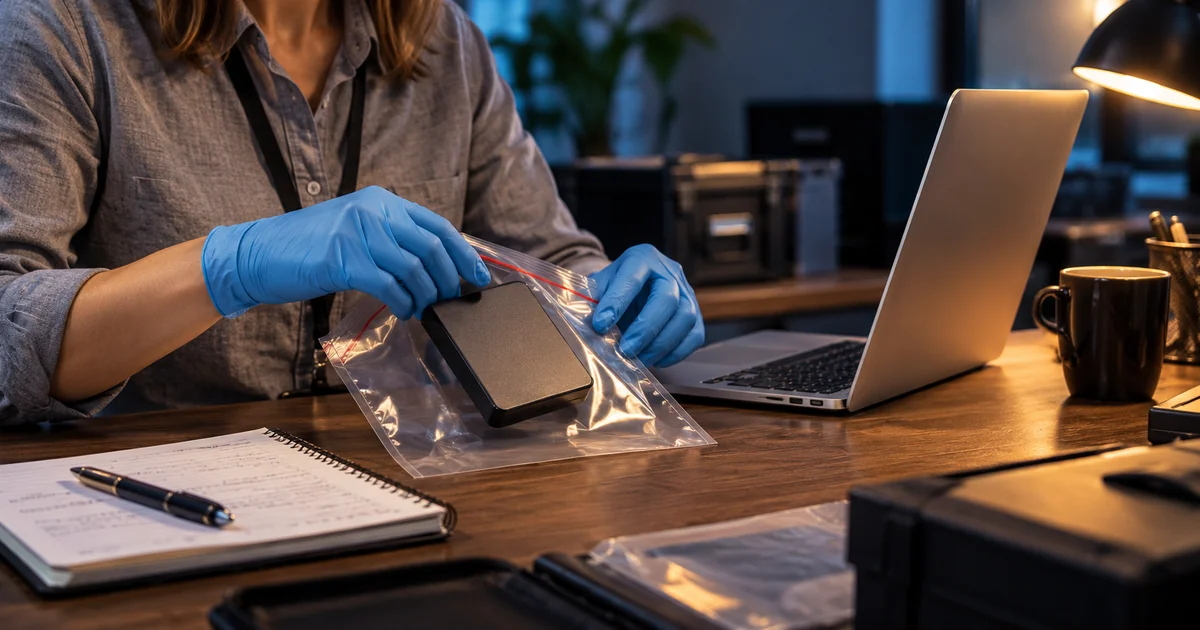
Preserve a protected copy of the affected files and database before cleanup where feasible. Label it clearly as potentially compromised, restrict access and keep it away from the public document root. Do not delete logs or overwrite the only evidence while trying to make the homepage look normal.
2. Contain the incident and protect visitors
Work with the host or responder to restrict affected services and stop harmful activity. Depending on the incident, this can mean isolating an application, disabling a compromised account or temporarily replacing public access with a safe status page. A CMS maintenance plugin alone may not stop an attacker who controls files or server credentials.
Keep essential communication available through a trusted channel. Tell staff what is known, which services to avoid and where to send reports. Public messages should be accurate and should not claim that customer information is safe before the investigation supports that statement.
Coordinate containment before making wide changes. Restarting or rebuilding systems can remove evidence, while leaving a compromised service connected can cause more harm. An experienced responder can help balance those priorities for the particular environment.
3. Re-establish trusted access
Use a known clean device and trusted recovery route. Review the hosting account, CMS administrators, domain account, email and connected services. An attacker may have created a new account or changed a recovery address, so changing only your own website password is insufficient.
Revoke suspicious sessions and access tokens, remove unauthorised identities after preserving relevant evidence, and rotate exposed credentials. Update dependent applications carefully when database or service credentials change. Enable additional authentication where supported and store recovery material securely.
Credential rotation must fit the containment plan. A newly entered password can be stolen again if the attacker still controls the environment. Confirm how trusted access will be established and review devices or integrations that may have supplied the original access.
4. Investigate the scope and entry point
Inspect files, database content, scheduled tasks, accounts and server configuration using appropriate tools and expertise. A scanner provides useful findings, but a clean result does not prove the entire environment is trustworthy. Malicious code may exist outside the file that triggered the original warning.
For WordPress, compare core files and supported extensions with trusted distributions. Review unexpected plugins, modified configuration and unauthorised users. Do not assume every unfamiliar file is malicious or delete material based only on a suspicious-looking name.
Establish which systems and information may have been affected. A compromised website can be part of a wider account incident, especially when credentials were shared. Keep investigation findings linked to evidence and distinguish confirmed facts from possibilities still being assessed.
5. Recover from a known clean state
Choose a recovery point based on evidence, rather than automatically using the newest backup. The compromise may pre-date the day it was discovered. Check that the backup is accessible, complete and suitable for the application version you intend to restore.
Where appropriate, rebuild software from trusted sources and restore verified data into a clean environment. Preserve the matching relationship between files and database. Patch the entry point and remove persistent access before reconnecting the recovered service, or the same incident may recur.
If no trustworthy backup exists, a specialist may need to reconstruct the service from clean software and inspected data. Keep the original evidence copy. Explain any missing orders or content to the responsible business team so they can reconcile records through a controlled process.
6. Assess personal-data and other reporting duties
For a UK organisation, determine promptly whether the incident is a personal data breach and assess the risk to individuals. A personal data breach can affect confidentiality, integrity or availability. An outage and an exposed customer database can therefore need different investigations.
The ICO must be notified of a notifiable breach without undue delay and, where feasible, within 72 hours of becoming aware of it. A breach unlikely to create a risk to individuals’ rights and freedoms does not require that notification, but the assessment and decision must be recorded. If there is a likely high risk, inform affected individuals without undue delay.
Do not wait for every technical detail before starting the assessment. Use current ICO guidance and appropriate specialist advice for your circumstances, including any processor, contractual, sector or insurer requirements. Keep communications factual and explain practical protective actions where needed.
7. Validate the repair and address search warnings
Test the recovered site before reopening important journeys. Check public pages, redirects, administrator access, enquiry handling and any order or payment integration. Review DNS and email settings where account compromise could have changed them. Confirm that restored credentials and permissions are the intended ones.
If Google Search Console reports security issues, investigate every relevant issue and example, fix the cause and then use the documented review process. Explain what was affected and what was repaired. Do not promise an instant removal of warnings or a guaranteed recovery of previous search visibility.
Other browsers, security services or mail providers can have their own reports and review routes. Treat them separately and keep the evidence of remediation. Avoid asking customers to bypass a warning while the underlying service is still being investigated.
8. Monitor and improve the recovery process
Monitor account activity, unexpected file changes, error logs and the journeys most affected by the incident. Verify backups and retain the incident record securely. Review whether a suspicious event would now be noticed earlier and whether alerts reach someone authorised to act.
Complete a short lessons review: entry point, affected services, recovery decisions and unresolved risks. Remove unsupported software, narrow access and improve the update and backup process. Assign owners and dates to follow-up work so it does not disappear after the visible website returns.
Keep a compact response record
- Incident owner, trusted contacts and the discovery time.
- Confirmed symptoms, affected assets and preserved evidence.
- Containment, access changes and recovery actions.
- Data-risk assessment and notification decisions.
- Validation results, monitoring and remaining work.
A controlled recovery restores both the service and confidence in how it is operated. Take the time to establish trusted access and remove the cause, so a repaired homepage is part of a dependable recovery rather than a temporary disappearance of the symptoms.
Follow the subject
Your perspective
Join the discussion
Ask a question, share what worked, or add a useful detail.
Loading discussion…
Comment moderation
Only approved contributions appear in the discussion.